Alectrona Patch 3.0

With the release of Alectrona Patch 3.0, we are excited to introduce the next evolution of our notification system: the Patch Menu Bar app. This new app is designed to provide a more modern and streamlined experience for users, while still maintaining the core functionality that our users have come to expect.
The Patch Menu Bar app combines native Notification Center notifications with an intuitive Menu Bar interface that has been designed from the ground up to provide the best app update experience on macOS. This new app is fully customizable, allowing you to change the top branding image, title, and subtitle to match your organization’s branding. It’s also fully compatible with Deferral Limits, ensuring that important updates are never ignored.
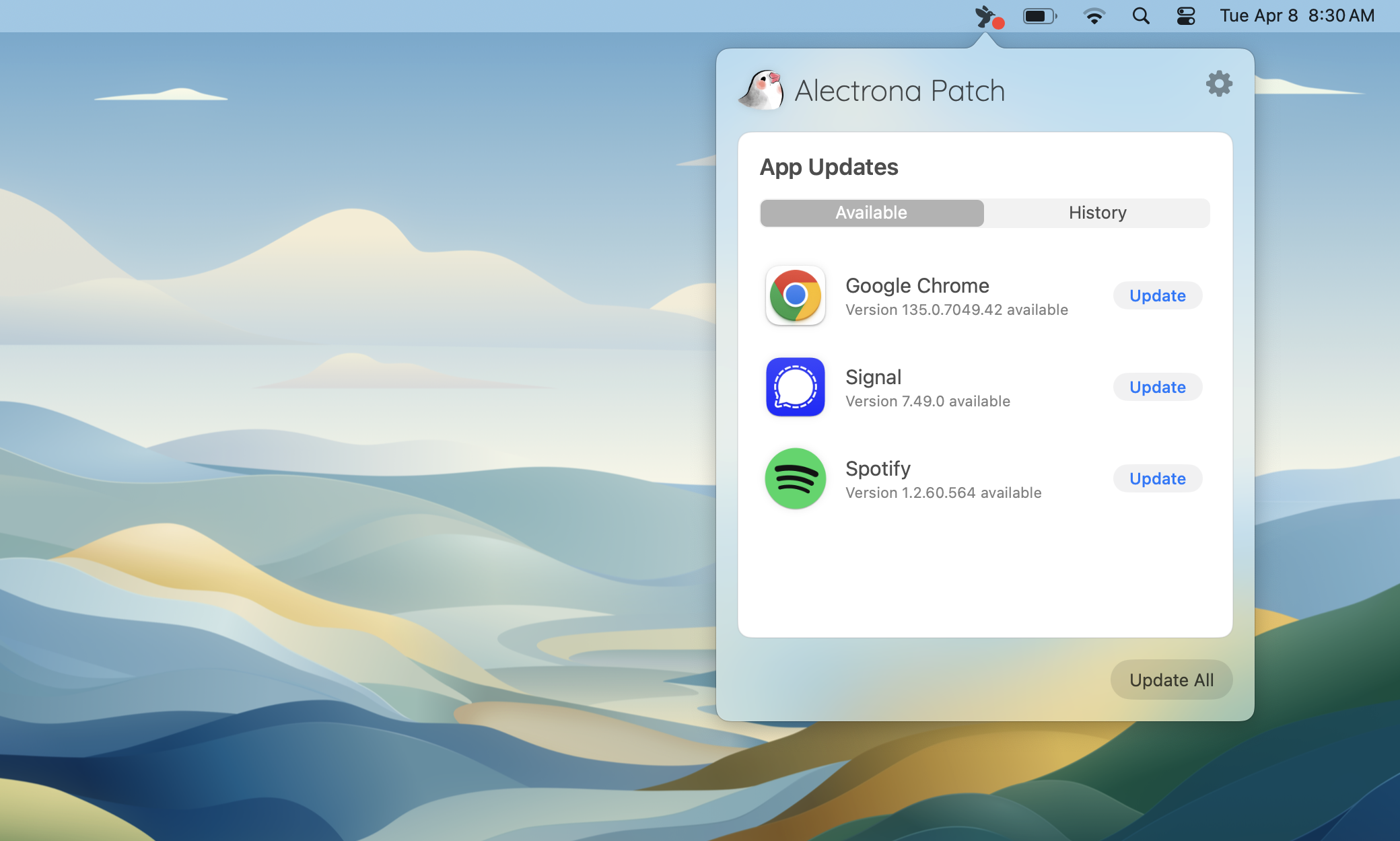
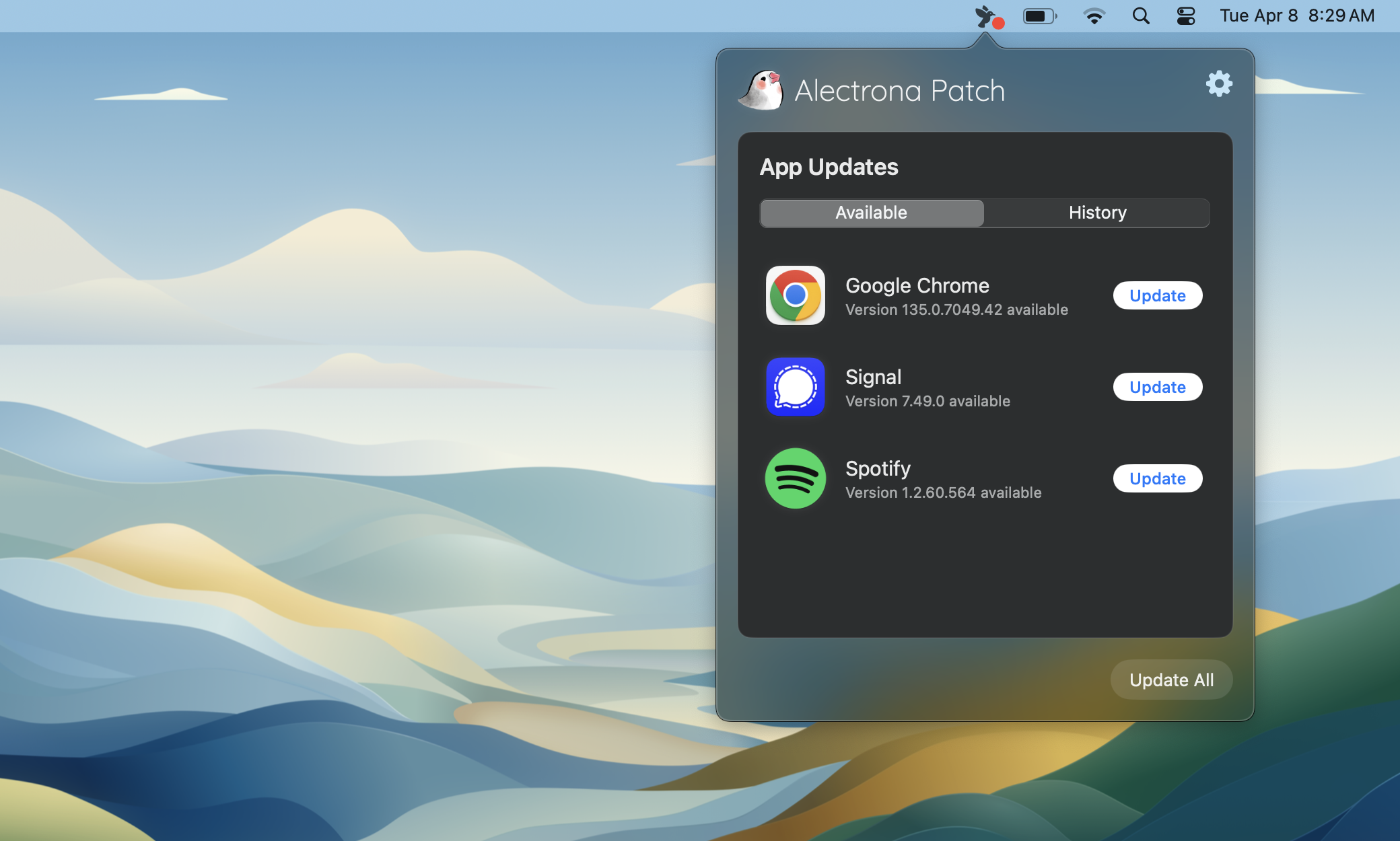
You need to enable the Patch Menu Bar app in your Patch Profile in order to use it. This is a new feature that is not enabled by default. You can find more information about how to enable the Patch Menu Bar app in the Patch Menu Bar App Preferences section of our documentation.
The Classic Update Dialog is still available for those who prefer it. The Classic Update Dialog is a simple and effective way to inform users about available updates.
New Features
- The new Patch Menu Bar app displays notifications in Notification Center when updates are available for open apps. Clicking a notification opens the Patch Menu Bar app, making it easy to access and install updates.
- When using the Patch Menu Bar app, you can now configure notifications to be delivered in the macOS Notification Center when background installations are completed. This is useful for keeping users informed about the status of their updates. These notifications can be configured to be delivered as a single notification per-installation or as a digest-style notification.
- With the Patch Menu Bar app, you can install multiple applications concurrently, significantly reducing the time required to update multiple open applications.
- A new
set-app-iconsubcommand has been added to thepatchcommand line tool that allows you to set the app icon for Patch.app (formerly patch-notifier.app). This is useful for customizing the appearance of Notification Center notifications. - A new
--menu-bar-notificationflag has been added to thepatchcommand line tool for use in scripted installations that allows you to use the Patch Menu Bar app to display update notifications instead of using the Classic Update Dialog. Note: You must enable the Patch Menu Bar app in your Patch Profile for this to work.
Updates
- After terminating a running application, a slight delay has been introduced before the update process begins to ensure that the application has fully closed.
- During installations that require replacing an application in the
/Applicationsfolder (not PKGs), a backup of the original application is stored temporarily. If the installation fails, the original application is restored.
Bug Fixes
- Fixed an argument parsing issue in the
patchcommand line tool’sinstallsubcommand, which caused unexpected behavior when no arguments were supplied.
All of the new preferences used to enable/customize the Patch Menu Bar app are documented in the Patch Menu Bar app preferences section of our documentation. These preferences will be added to a future version of the Patch Desktop app.
Alectrona Patch supports the three most recent major versions of Apple's macOS. As of 9/2024, the three most recent major versions are:
- macOS 15 Sequoia
- macOS 14 Sonoma
- macOS 13 Ventura.
Alectrona Patch 3.0 will only successfully install on Macs running macOS 13 or later. We recommend uninstalling Alectrona Patch if you are unable to upgrade to a supported version of macOS.