Logging in Alectrona Patch
Alectrona Patch automatically logs messages to the following targets:
- A local log file (truncated so as to not exceed 5 MB)
- Apple's Unified Logging System
Local Log File
To some Mac Admins, the local log file could be the more familiar approach for accessing logs.
Given the following command, the sample logging output can be expected:
sudo patch install signal
An updated version of Signal is available; installed: 6.10.1, catalog: 6.11.0.
Downloading the Signal install media...
Successfully verified designated requirement of Signal.app.
Signal is running, alerting ryan of pending update.
ryan chose to continue, killing Signal processes...
Installing Signal...
Successfully installed Signal version 6.11.0.
Relaunching Signal for ryan.
The above output is shown in Terminal while running, but is also always sent to the local log file with timestamps.
The local log file is located at the following path:
/var/log/alectrona-patch.log
tail -n 300 /var/log/alectrona-patch.log
Apple's Unified Logging System
Apple's unified logging system is designed, with performance in mind, to capture telemetry across every level of macOS.
This system centralizes the storage of log data in memory and on disk, rather than writing that data to a text-based log file. Apple
Unified logs can be filtered based on process name, log level, message content, and much more. Because of this, we can ship extremely detailed information to logs making it easier for Mac Admins to find exactly what they are looking for.
Many Security Information and Management (SIEM) systems can ingest macOS unified logs for centralized aggregation, parsing, and alerting. 🎉
Using Terminal for Unified Logs
You can use Apple's built-in log command to view unified logs for Alectrona Patch.
The three subsystems for Alectrona Patch are:
com.alectrona.patchcom.alectrona.patch-agentcom.alectrona.patch-notifier
Below are a few example commands to view logs for all Alectrona Patch components:
# Stream real-time logs down to info level for all Alectrona Patch components
log stream --predicate 'subsystem BEGINSWITH "com.alectrona.patch"' --info

# Show the last 5 minutes of the default log type for all Alectrona Patch Components
log show --predicate 'subsystem BEGINSWITH "com.alectrona.patch"' --last 5m

# Show all available error logs for the Patch CLT only
log show --predicate 'subsystem == "com.alectrona.patch" AND messageType == error'
Using Console for Unified Logs
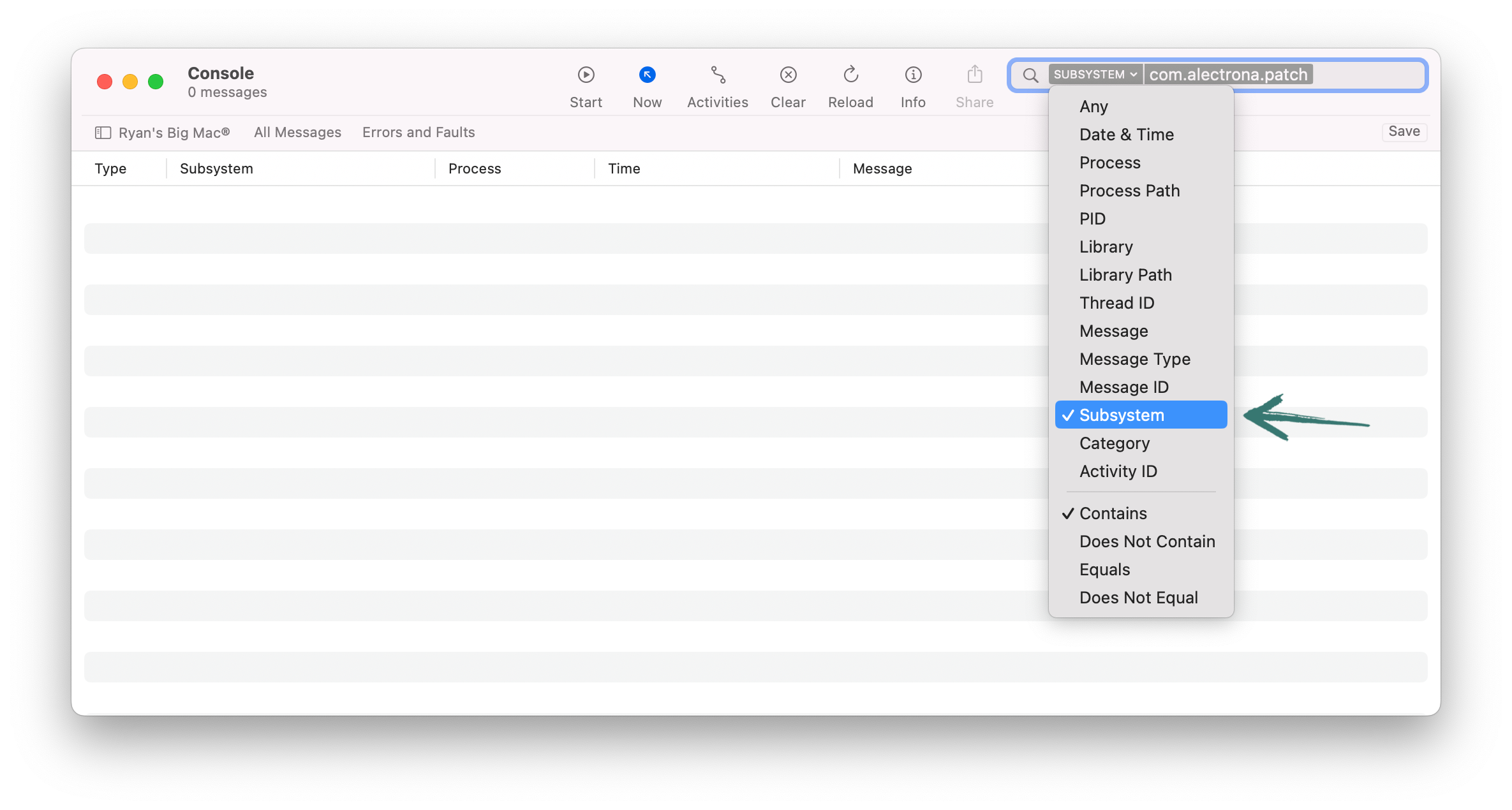
- Set Subsystem
- Stream Logs
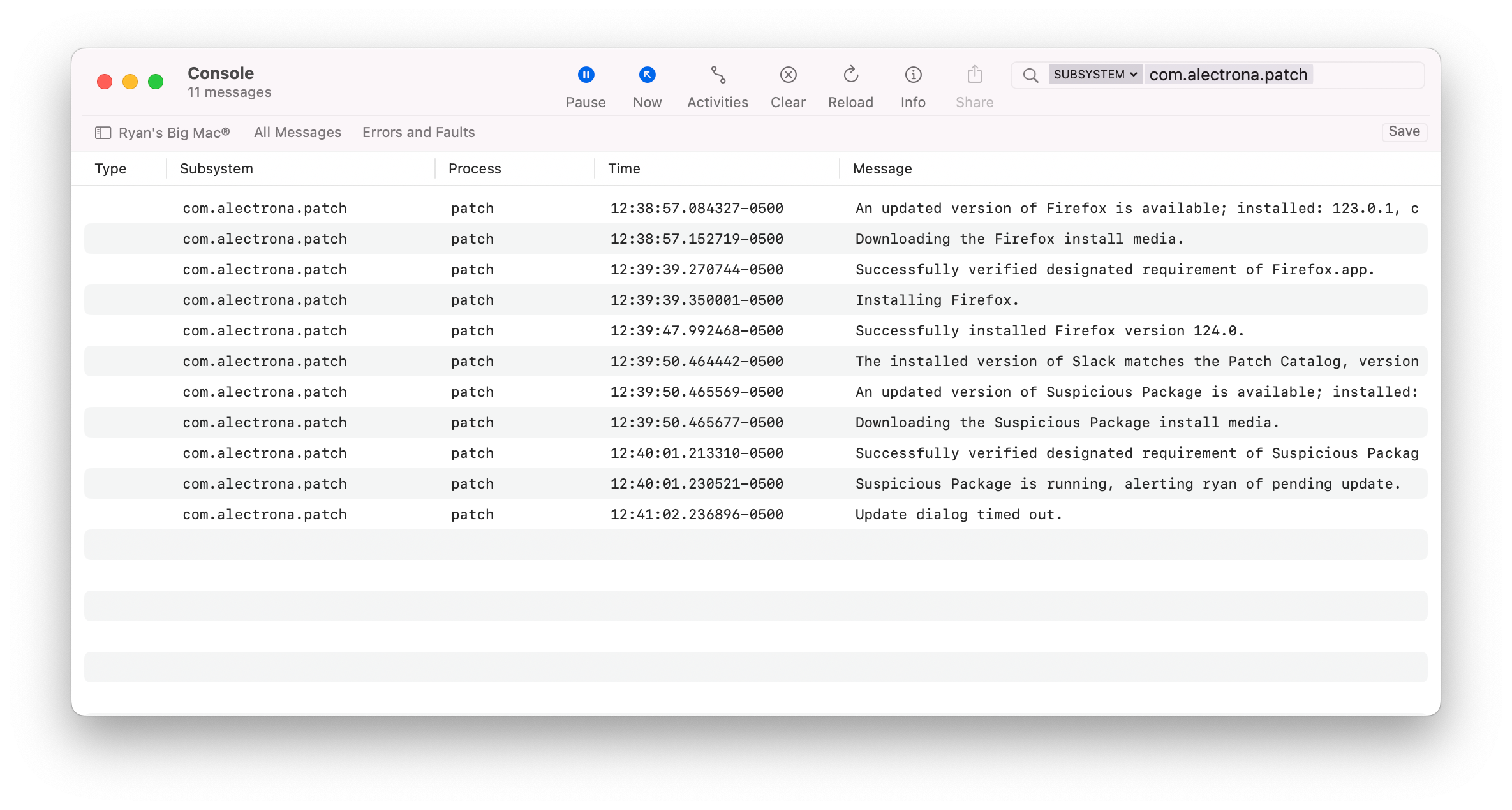
In Console, search for logs where the Subsystem contains com.alectrona.patch.
Begin streaming logs! 🥹